Users can edit a required task on projects from the project page in Pruvan Online. First log into Pruvan.com then use the information below to assist you.
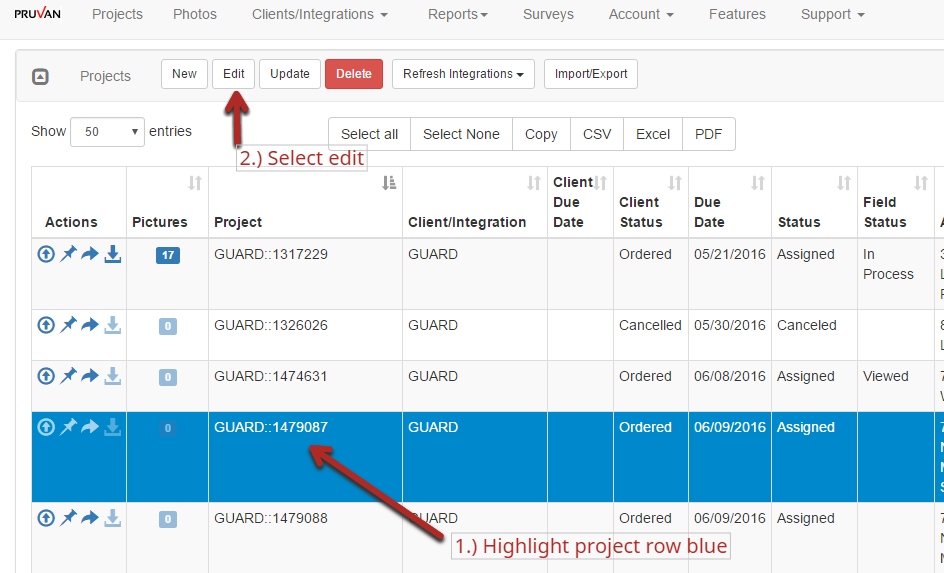
1.) Click the Project to highlight the row blue
2.) Select the edit button
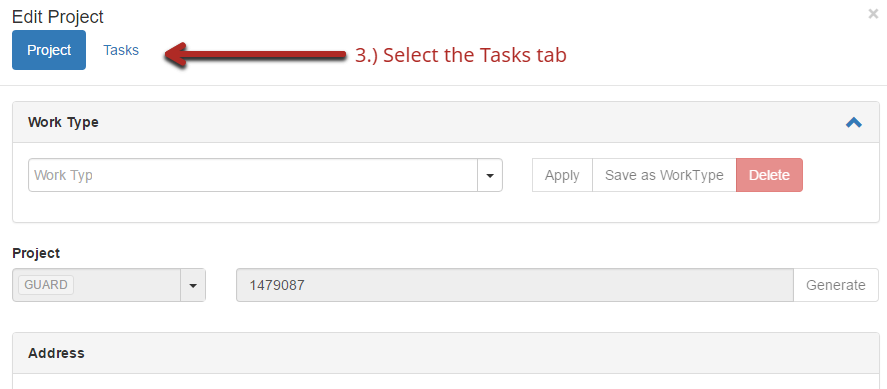
3.) Select the Task tab
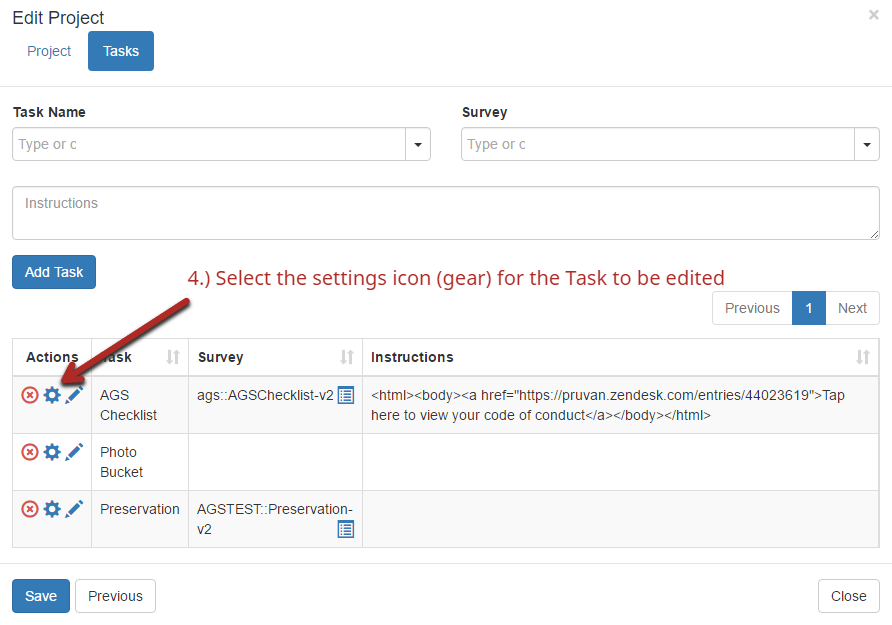
4.) Select the setting icon (gear) for the Task to be edited
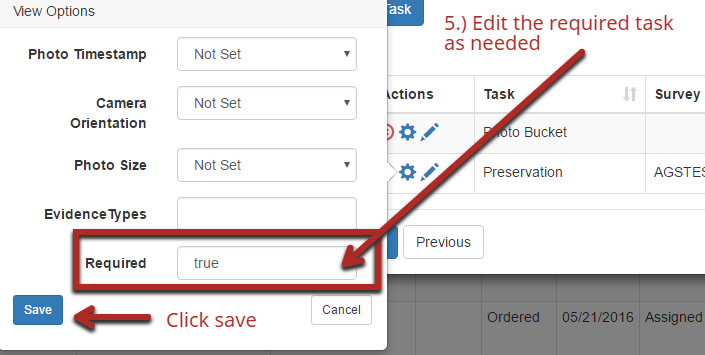
5.) Edit the required task and click Save
Comments