You can automatically assign work orders from IFE users to Pruvan users on a 1-1 basis. That is for each IFE user you have, you have a Pruvan user to match. Follow these steps to set up auto assignment.
How To Set Up Auto Assignement
1. Create your Pruvan Users
- Log in to Pruvan Online
- Click on Account
- Select Users
- Create your User(s):
- Click New
- Enter your user's information
- Click Save
2. Create / Update your IFE Users
- Login to your IFE Admin account
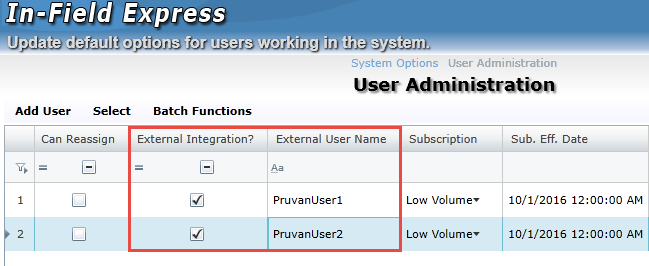
- Click on User Administration
- Link your IFE user(s):
- Find or Create an IFE user
- Check the ‘External Integration?’ checkbox for that user
- Enter the Pruvan username for that user to the External Username field
- Click the
 button
Comments