You can export your Survey Template to save as a backup or send to someone else. You can either copy and paste the JSON or save it to a file.
How to Export to JSON
- Log in to Pruvan Online
- Click on Surveys
- Find the Survey you want to export
- Select the Survey
- Click Edit / Revise
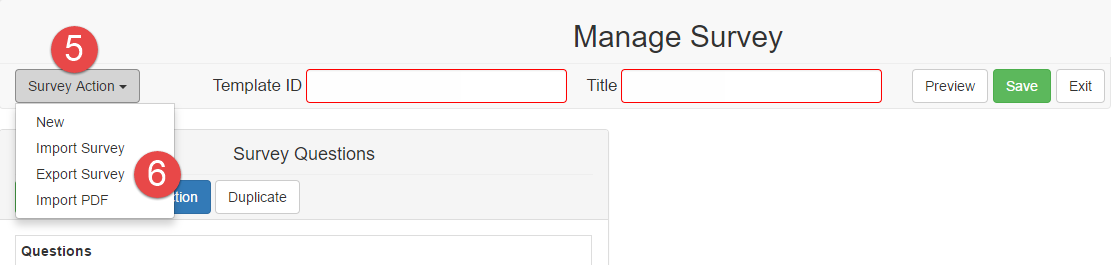
- Click Survey Actions
- Select Export JSON
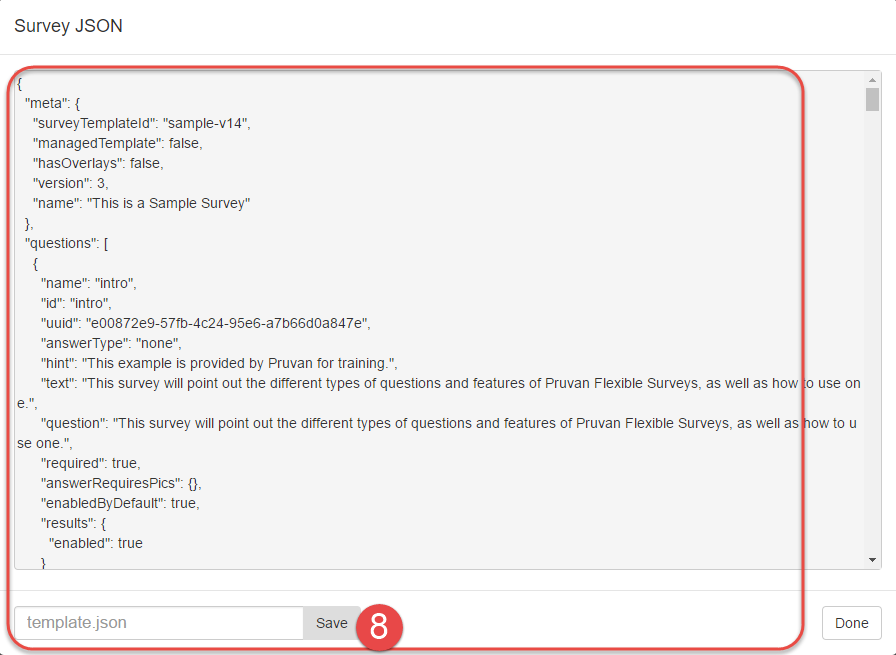
- Choose an Export method
- Save to File
- Click Save
- Save the file
- Copy / Paste
- Select all of the JSON text and copy it
- Paste the JSON to your destination (email, document, etc)
- Save to File

Comments