Edit a Project to add or update information that will immediately be pushed down to the app for your field vendors.
- Log in to Pruvan Online
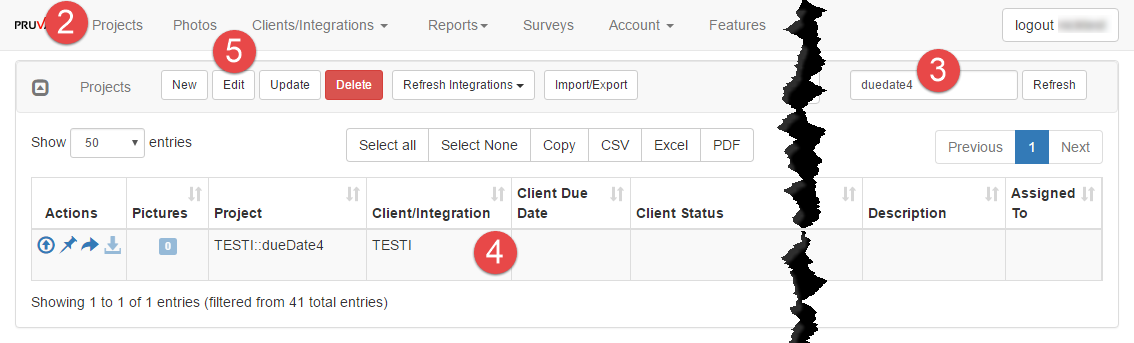
- Click on Projects
- Locate the project you want to edit
- Click on the project to select it
- Click the Edit button
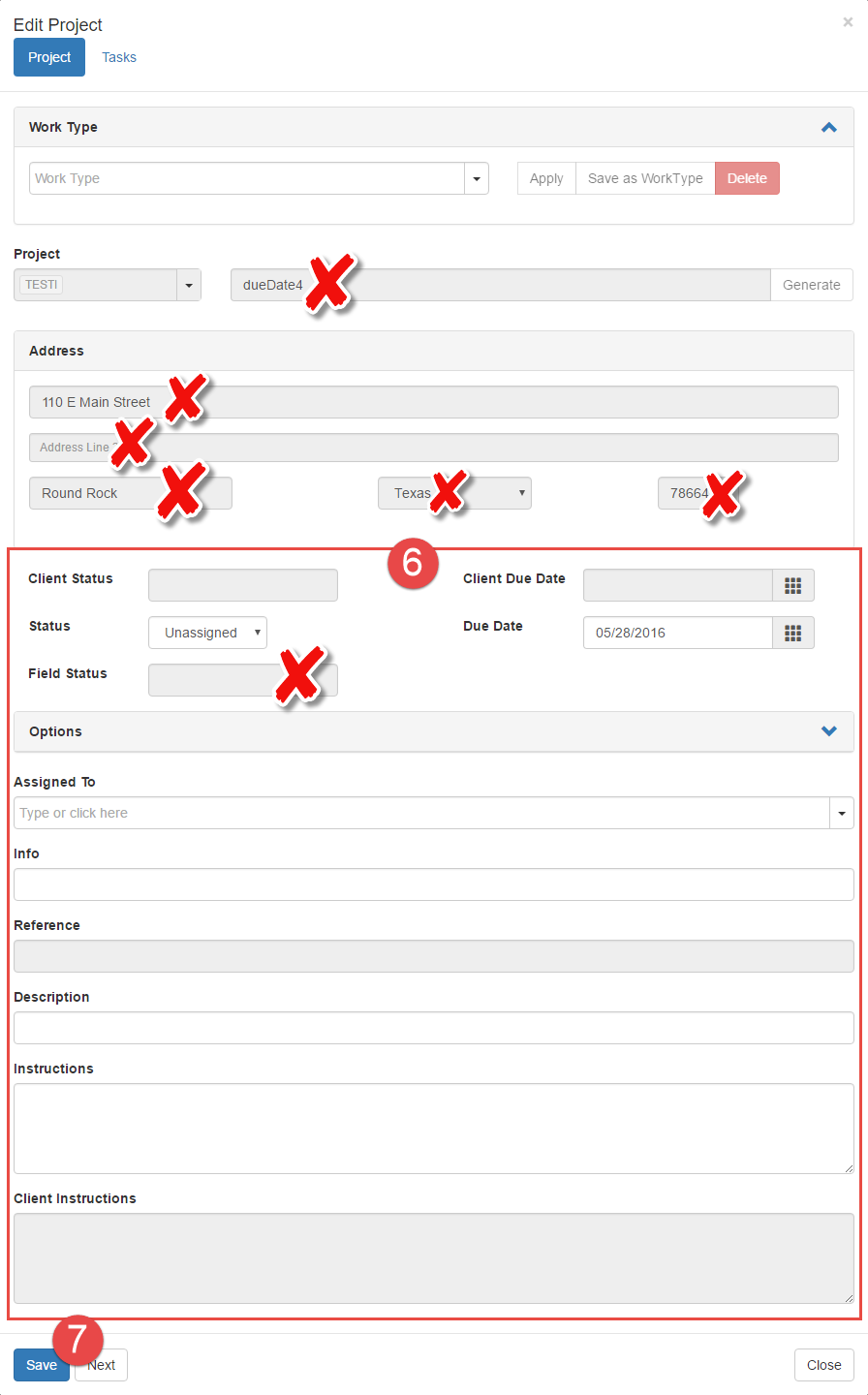
- Edit or add information or Tasks to the Project
- Fields that cannot be edited:
- Project Number
- Address
- Field Status
- Additional fields that cannot be edited on an Integration project:
- Client Status
- Client Due Date
- Reference
- Client Instructions
- Fields that cannot be edited:
- Click Save
Comments